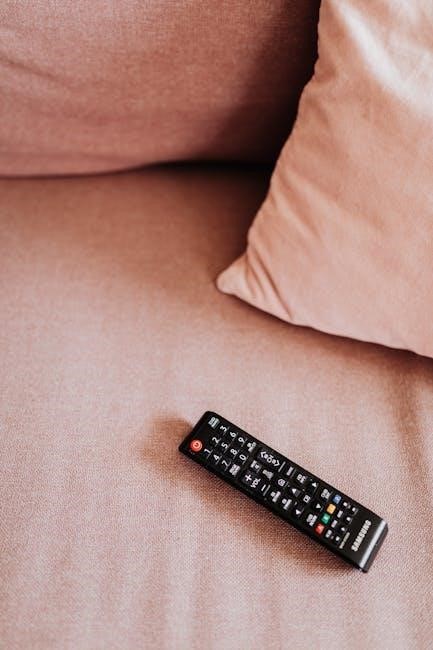
Dimplex Remote Control Manual: A Comprehensive Guide
This manual provides detailed instructions for operating your Dimplex fireplace with its IR multi-function remote‚ ensuring optimal performance and safety for years to come.
Understanding Your Dimplex Remote
Your Dimplex remote control is designed for convenient operation of your electric fireplace. It utilizes infrared (IR) technology‚ meaning a clear line of sight between the remote and the fireplace’s front panel is crucial for functionality. The effective range is approximately 30 feet (9 meters).
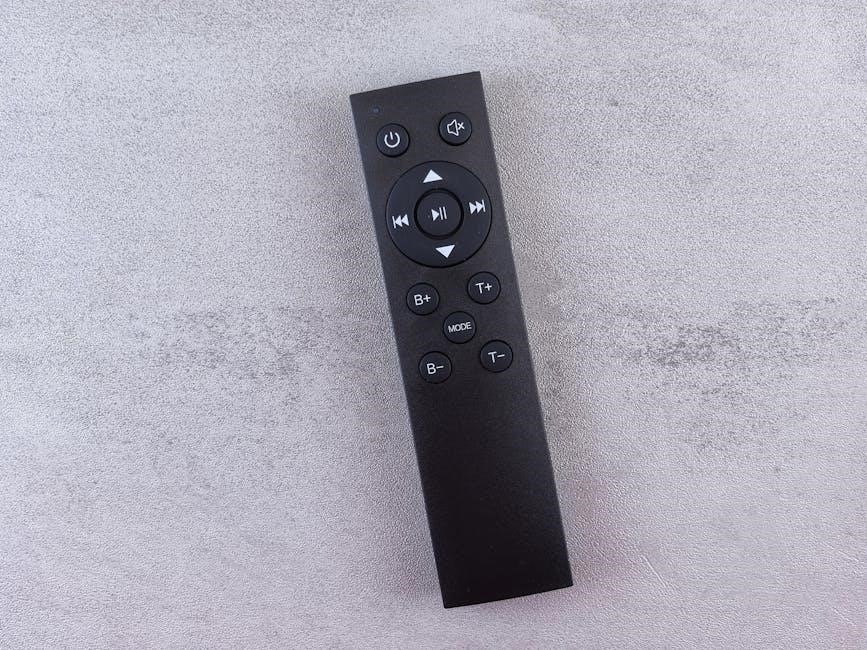
The remote allows you to power the unit on and off‚ adjust flame effects‚ control heat settings‚ and utilize advanced features like the thermostat and timer. Familiarize yourself with the button layout; a dedicated power button exists for both on/off functionality and restoring previous settings. Remember to point the remote directly at the fireplace for reliable operation‚ and ensure no obstructions are present.
Remote Control Compatibility
Dimplex offers various remote control models designed for compatibility with their range of electric fireplaces. However‚ not all remotes are universally interchangeable. Specific remote models‚ like the RLG20BR & RLG20FC‚ are designated for particular fireplace series.
To ensure compatibility‚ always refer to your fireplace’s model number and consult the Dimplex official website or documentation. Using an incompatible remote may result in limited functionality or no operation at all. The multi-function remote control supplied with your fireplace is generally the most reliable option. Confirming compatibility prevents frustration and guarantees full access to all fireplace features.
Identifying Dimplex Remote Models
Dimplex remote controls are identified by specific model numbers‚ crucial for ordering replacements or confirming compatibility. Key components like the IR Key Board (3001750100RP) and the Main Control Board (3001740100RP) have unique identifiers. The remote itself often displays its model number on the back‚ near the battery compartment.
Common models include those associated with specific fireplace series like RLG20BR and RLG20FC (3001740300RP). Accurate identification is vital when seeking support or purchasing parts. Referencing the original packaging or Dimplex’s website with your fireplace’s model number will help pinpoint the correct remote control model.
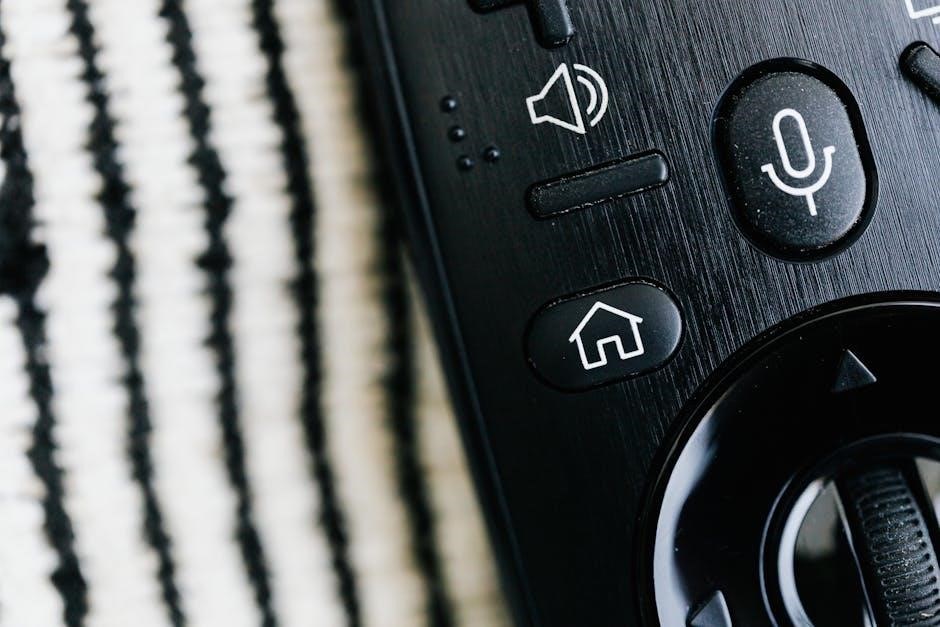
Basic Remote Control Functions
The Dimplex remote offers essential controls: power on/off‚ flame effect adjustment‚ and heat setting changes‚ providing convenient operation of your electric fireplace.
Power On/Off Operation
Utilizing the power button on your Dimplex remote is straightforward. A single press will turn the unit off or on. Importantly‚ pressing the power button again when the unit is already off will reactivate it‚ restoring the fireplace to its previous settings – including both flame effect and heat output levels. This feature eliminates the need to re-adjust preferences each time you power on. The display will initially show the current heater temperature setting before transitioning to display the ambient room temperature after a brief two-second interval. Ensure the remote is directed towards the front of the fireplace for optimal signal transmission‚ within a range of approximately 30 feet (9 meters).
Flame Effect Control
The Dimplex remote allows independent control of the flame effect‚ separate from the heating function. This means you can enjoy the ambiance of a realistic fire without generating heat‚ or combine both for a cozy atmosphere. Utilize the dedicated flame control buttons on the remote to adjust the flame intensity and brightness to your preference. Multiple levels are typically available‚ offering a range of visual effects. Remember that if the flame effect was previously on when the unit was powered off‚ it will automatically resume at the last selected setting upon reactivation using the power button on the remote.
Heat Setting Adjustment
Your Dimplex remote provides precise control over the heater’s output‚ allowing you to customize the warmth to your comfort level. Typically‚ the remote features buttons to increase or decrease the heat setting‚ often with multiple levels available. The display will show the current heater temperature setting before transitioning to display the room temperature after a few seconds. Adjusting the heat setting influences the energy consumption‚ so selecting an appropriate level can help optimize efficiency. Remember‚ if the heater was on at a specific setting before being turned off‚ it will resume at that same setting when powered back on via the remote.
Advanced Remote Control Features
Explore sophisticated options like thermostat control‚ timer functionality‚ and a child lock feature‚ enhancing convenience and safety for your Dimplex fireplace experience.
Thermostat Control and Settings
Dimplex remotes often feature precise thermostat control‚ allowing you to maintain a consistent and comfortable room temperature. The display will show the current heater temperature setting‚ transitioning after two seconds to display the actual room temperature. This functionality enables efficient heating‚ preventing overheating and conserving energy.
Utilize the remote to set your desired temperature; the fireplace will automatically adjust its heat output to reach and maintain that level. Some models offer programmable temperature settings for customized comfort schedules. Understanding these settings allows for optimal energy usage and a perfectly heated environment. Regularly check the displayed temperature to ensure accurate operation and adjust as needed for your personal preference.
Timer Functionality
Many Dimplex fireplaces equipped with remote controls include a convenient timer function. This feature allows you to pre-set a duration for the fireplace to operate‚ automatically turning it off after the specified time. This is incredibly useful for energy saving and ensuring the fireplace doesn’t remain on unnecessarily.
The remote’s timer settings typically allow for adjustments in increments‚ providing flexibility to match your needs. Consult your specific model’s manual for detailed instructions on programming the timer. Utilizing the timer function promotes both convenience and responsible energy consumption‚ enhancing your overall fireplace experience and reducing operational costs.
Child Lock Feature Activation
The child lock feature is a crucial safety mechanism designed to prevent accidental operation of the fireplace by young children. Activation typically involves pressing and holding a designated button on the remote control for a specific duration – often several seconds. This locks the remote’s buttons‚ rendering them unresponsive to unintended presses.
When activated‚ a visual indicator‚ such as a specific icon on the fireplace display‚ will confirm the lock is engaged. To deactivate the child lock‚ repeat the same button-holding process. Always ensure the feature is disengaged when adults intend to use the remote. Prioritize safety by utilizing this function in households with children.
Battery Information and Replacement
Maintaining proper battery function is essential for reliable remote operation; this section details the required battery type (AAA) and replacement procedures for optimal use.
Battery Type Required (AAA)
Your Dimplex remote control is specifically designed to operate with two AAA alkaline batteries. Using other battery types‚ such as rechargeable or non-alkaline batteries‚ may result in reduced performance or even damage to the remote control unit. Always ensure you are using fresh‚ high-quality AAA batteries for the best possible experience.
Avoid mixing old and new batteries‚ or different brands of batteries‚ as this can lead to leakage or inconsistent power delivery. When replacing batteries‚ it’s recommended to change both simultaneously to maintain balanced operation and prevent potential issues. Proper battery selection and handling are crucial for the longevity and reliable functionality of your Dimplex remote.
Battery Cover Removal and Installation
To access the battery compartment‚ locate the tab on the back of your Dimplex remote control. Gently depress this tab while simultaneously sliding the battery cover downwards. Once the cover is released‚ it can be easily removed‚ revealing the battery slots. Insert two AAA batteries‚ paying close attention to the polarity markings (+ and -) indicated inside the compartment.
Ensure the batteries are correctly aligned with these markings for proper contact. After inserting the batteries‚ carefully slide the battery cover back into place until it clicks securely‚ ensuring it’s fully closed to prevent accidental battery dislodgement and maintain reliable operation of your remote.
Low Battery Indicator
Your Dimplex remote control is equipped with a low battery indicator to alert you when the batteries are nearing depletion. This indicator typically manifests as a dimming of the remote’s signal strength or a noticeable decrease in its responsiveness. When you observe these signs‚ it’s crucial to replace the batteries promptly to avoid interruption of your fireplace’s operation.
Ignoring the low battery warning can lead to complete remote failure‚ requiring you to manually control the fireplace. Maintaining fresh batteries ensures consistent and reliable control over all functions‚ including power‚ flame effects‚ and heat settings‚ providing uninterrupted enjoyment of your Dimplex fireplace.
Troubleshooting Common Remote Issues
Addressing issues like unresponsiveness‚ interference‚ or incorrect function operation is key to maintaining seamless control of your Dimplex fireplace experience.
Remote Not Responding
If your Dimplex remote control fails to respond‚ begin by ensuring fresh batteries are correctly installed‚ observing proper polarity. Confirm the remote is pointed directly towards the front of the fireplace unit‚ within its effective range of approximately 30 feet (9 meters). Obstructions can interfere with the infrared signal; remove any items blocking the path.
Verify the fireplace itself is powered on and not in a standby mode. A simple test is to attempt operation using the manual controls on the fireplace unit to rule out a general power issue. If the fireplace responds to manual controls‚ the problem likely lies specifically with the remote. Consider checking for potential interference from other electronic devices emitting infrared signals.
Interference Issues
Dimplex remote controls utilize infrared (IR) technology‚ which can be susceptible to interference from other electronic devices. Common culprits include televisions‚ stereos‚ and even certain types of lighting. These devices may emit signals on similar frequencies‚ disrupting communication between the remote and the fireplace.
To mitigate interference‚ try repositioning the fireplace or the interfering device. Reducing the distance between the remote and the fireplace can also improve signal strength. Ensure there are no obstructions blocking the IR signal path. If the issue persists‚ temporarily turn off other electronic devices in the vicinity to isolate the source of the interference and confirm if that resolves the problem.
Incorrect Operation of Functions
If your Dimplex remote’s functions aren’t working as expected‚ first verify you’re pointing it directly at the front of the fireplace unit. Remember‚ IR signals require a clear line of sight. Ensure fresh batteries are installed‚ as low battery power can cause erratic behavior or complete failure of certain features.
Double-check that you’re pressing the correct buttons for the desired operation. If the flame effect or heat setting doesn’t respond‚ try re-pairing the remote (refer to the ‘Remote Control Programming & Pairing’ section). A reset of the remote might also resolve software glitches causing incorrect function execution.
Remote Control Programming & Pairing
Establishing a connection between your Dimplex remote and fireplace is crucial for seamless operation; initial pairing and re-pairing procedures are outlined below.
Initial Remote Pairing Process
Upon first use‚ or after replacing the receiver‚ your Dimplex remote requires pairing with the fireplace unit. Ensure the fireplace is plugged in and powered on. Typically‚ no specific button sequence is needed for initial pairing; the remote should automatically connect when within range – approximately 30 ft (9m).
However‚ if automatic pairing fails‚ consult the specific model’s instructions‚ as some units may require holding a specific button combination on both the fireplace and the remote simultaneously. Point the remote directly at the front of the fireplace during this process. A successful pairing is usually indicated by a confirmation signal‚ such as a beep or a change on the fireplace display.
If issues persist‚ try replacing the remote’s batteries with fresh AAA batteries and repeating the process.
Re-Pairing a Remote Control
If your Dimplex remote loses connection with the fireplace‚ re-pairing is necessary to restore functionality. Begin by verifying fresh AAA batteries are installed in the remote. Ensure the fireplace is powered on and accessible with a clear line of sight to the unit’s receiver.
Similar to the initial pairing‚ many Dimplex models will automatically re-establish the connection when the remote is brought within range (around 30 ft / 9m). If automatic re-pairing doesn’t occur‚ consult your model’s specific instructions for a manual pairing procedure‚ which may involve pressing a button combination on both devices.
Successful re-pairing is often confirmed by a visual or auditory cue from the fireplace.
Resetting the Remote Control
Occasionally‚ a Dimplex remote may malfunction requiring a reset to clear its memory and restore default settings. While not universally applicable across all models‚ a common reset procedure involves removing the batteries from the remote control.
Press and hold the power button for approximately 30 seconds while the batteries are removed. Then‚ reinsert the AAA batteries‚ ensuring correct polarity. This process can resolve issues like unresponsive buttons or incorrect function operation.
If the reset doesn’t resolve the problem‚ consult the specific manual for your Dimplex fireplace model‚ as some units may have unique reset procedures.
Dimplex Remote Control Parts & Components
Key components include the IR keyboard‚ main control board (3001740100RP)‚ and power supply (2100250100RP)‚ essential for remote functionality and fireplace operation.
IR Key Board Identification
The IR Key Board is the primary interface for controlling your Dimplex fireplace. It houses all the buttons responsible for various functions‚ transmitting infrared signals to the unit. Familiarize yourself with each button’s purpose for seamless operation. Key functions include power on/off‚ flame effect adjustment‚ heat setting control‚ and access to advanced features like the thermostat and timer.
Understanding the layout allows for quick and efficient adjustments to your fireplace’s settings. The remote’s design prioritizes user-friendliness‚ ensuring easy navigation through its features. Proper use of the IR Key Board maximizes your enjoyment and control over the fireplace’s ambiance and heating capabilities. Regularly inspect the key board for any damage or wear.
Main Control Board Connection
The Main Control Board serves as the central hub for all fireplace operations‚ receiving signals from the IR Key Board and translating them into actions. This board manages the flame effect‚ heat output‚ thermostat settings‚ and timer functions. It’s a critical component ensuring the fireplace responds accurately to remote commands.
Proper connection and functionality of the Main Control Board are essential for reliable performance. Part number 3001740100RP identifies this crucial component. Any issues with the board can lead to unresponsive controls or erratic fireplace behavior. If problems arise‚ professional servicing is recommended to diagnose and repair the connection or board itself.
Power Supply Details
The Dimplex fireplace’s power supply is a vital component‚ converting standard household electricity into the specific voltages required by the various fireplace systems. This includes powering the flame effect‚ heating elements‚ and the Main Control Board. Part number 2100250100RP designates the power supply unit.
Ensuring a stable and correct power supply is crucial for safe and efficient operation. Fluctuations or improper voltage can damage internal components. Always verify the fireplace is plugged into a grounded outlet matching the specified voltage requirements. If you suspect a power supply issue‚ immediately disconnect the fireplace and consult a qualified technician for inspection and repair.
Finding Replacement Remote Controls
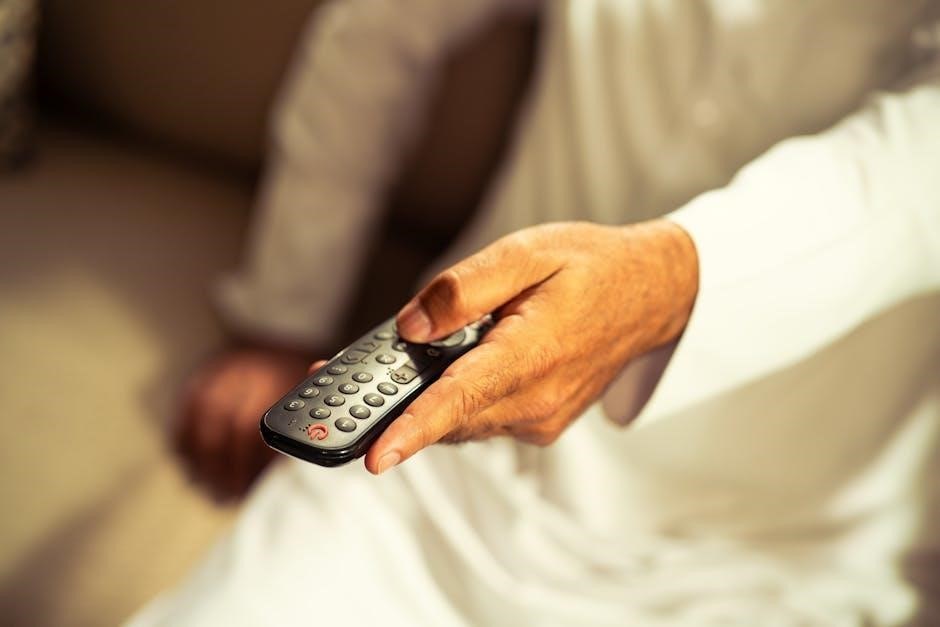
Locate a new Dimplex remote through the official Dimplex website or authorized third-party retailers; identifying your remote’s model number is essential for compatibility.
Dimplex Official Website
The Dimplex official website is the primary source for genuine replacement remote controls. Navigating to their support or parts section allows you to search specifically for remotes compatible with your fireplace model. You’ll typically need your fireplace’s model number to ensure accurate results.
Dimplex often provides detailed diagrams and specifications on their website‚ aiding in identifying the correct remote. Furthermore‚ purchasing directly from Dimplex guarantees authenticity and quality. The website may also offer downloadable manuals and troubleshooting guides‚ potentially resolving issues without needing a replacement. Check for current promotions or discounts on replacement parts‚ potentially saving you money. Always verify the return policy before making a purchase.
Third-Party Retailers
Numerous third-party retailers offer Dimplex remote controls‚ providing alternative purchasing options. Major online marketplaces like Amazon and eBay frequently stock a variety of models‚ often at competitive prices. Local appliance repair shops may also carry replacement remotes or be able to order them for you.
When purchasing from third-party retailers‚ carefully verify the remote’s compatibility with your specific Dimplex fireplace model. Check seller ratings and reviews to ensure reliability and product authenticity. Compare prices across different retailers to find the best deal‚ and always confirm the return policy before completing your purchase. Be cautious of significantly lower prices‚ as they may indicate a non-genuine product.
Remote Model Number Identification
Accurately identifying your Dimplex remote control’s model number is crucial for finding a compatible replacement. The model number is typically located on a sticker affixed to the back of the remote itself‚ often within the battery compartment. Look for a string of characters‚ such as “3001740100RP” or similar.
This number is essential when searching for a replacement on the Dimplex website or through third-party retailers. Having the correct model number ensures you purchase a remote that is fully functional with your fireplace. If the sticker is damaged or missing‚ consult your fireplace’s original documentation or contact Dimplex customer support for assistance in identifying the correct remote model.
Safety Precautions for Remote Use
Protect your remote from water damage and store it properly. Handle with care‚ cleaning gently to ensure continued‚ safe operation of your Dimplex fireplace.
Avoiding Water Damage
Water and electronic devices are a dangerous combination. To prevent damage to your Dimplex remote control‚ it’s crucial to keep it away from any sources of moisture. This includes spills‚ splashes‚ and even humid environments. Never use the remote if it’s wet‚ and do not attempt to dry it with a hairdryer or other heat source.
If the remote does get wet‚ immediately remove the batteries to minimize potential corrosion. Allow the remote to air dry completely – this may take several days – before attempting to use it again. Protecting your remote from water ensures its longevity and reliable operation‚ allowing you to continue enjoying the comfort of your Dimplex fireplace without interruption.
Proper Storage Guidelines
To maximize the lifespan of your Dimplex remote control‚ proper storage is essential when it’s not in use. Store the remote in a cool‚ dry place‚ away from direct sunlight and extreme temperatures. Avoid leaving it exposed to dust or debris‚ as this can interfere with the buttons and internal components.
A drawer or cabinet in a living room or bedroom is ideal. Do not store the remote in a bathroom or kitchen where humidity levels are higher. When storing for extended periods‚ it’s recommended to remove the batteries to prevent potential corrosion. Careful storage practices will help maintain the remote’s functionality and appearance for years to come.
Handling and Cleaning Instructions
To ensure the longevity of your Dimplex remote‚ handle it with care to avoid dropping or subjecting it to impact. Regularly clean the remote with a soft‚ dry cloth to remove dust and fingerprints. Avoid using abrasive cleaners‚ solvents‚ or excessive moisture‚ as these can damage the surface and internal components.
For stubborn dirt‚ lightly dampen the cloth with water and gently wipe the surface‚ ensuring it is thoroughly dried afterward. Never disassemble the remote control for cleaning. Proper handling and routine cleaning will help maintain its functionality and appearance‚ preventing potential issues and extending its lifespan.